
Iron Crown
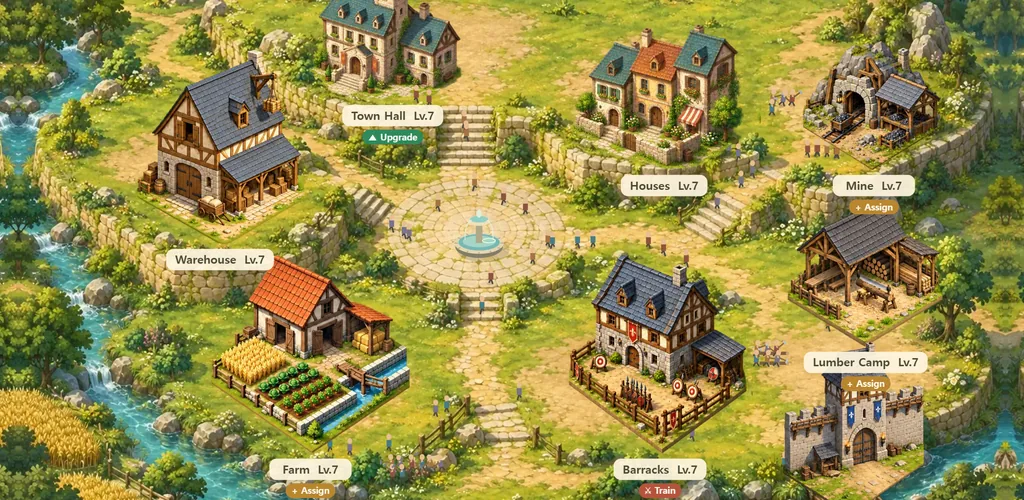
Build a castle, take castles, wear the crown. A castle that grows with its people, 5-minute rallies with your alliance, fort sieges every day, and the Crown Castle war every Sunday night.
No install and no sign-up: start right away in a desktop or mobile browser. After your first capture, link a Google, Kakao or email account to return to the same realm on any device. The game is in English and Korean. It follows your browser’s language, and the button at the top switches it.
1. Getting started
- Press Play and you’re in. You enter a server with free room as a guest. There’s no sign-up, naming or server-picking screen.
- Follow Lia, your guide. Upgrade the Town Hall → upgrade the farm, lumber camp and mine → upgrade the barracks → train 90 soldiers and assign workers → capture the neighboring village. You play it with the real game controls, and it takes 3–5 minutes.
- Link an account after your first capture. Choose Google, Kakao or email under “Link an account to save your story” and your realm and army are kept as they are. You can do it later, but until you link, clearing your browser cookies means losing your realm.
- From there, it’s up to you. The “Next growth goal” card at the top tells you what to do now, and “Go to goal” opens the right screen.
Time keeps running while you’re away. Production, construction, training and marches all run on server time. The basic rhythm: drop in, check your reports, queue the next building and training.
2. The screen
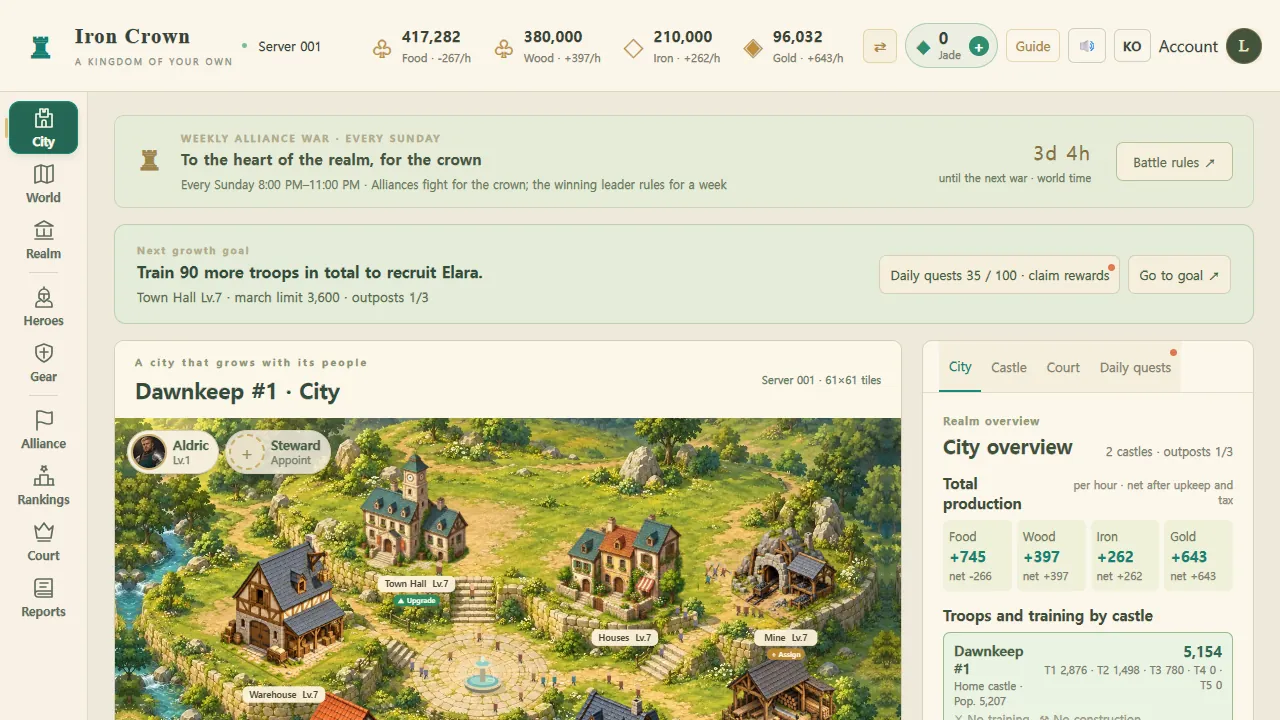
Top bar
- Your server — fixed to the server you first entered. You can’t move to another server.
- Food, wood, iron, gold — stock and net production per hour. “Exchange” trades surplus for what you lack (with a fee).
- Jade — spent to finish construction, training and healing instantly. It always costs at least 1 jade, however little time is left.
- Guide · Sound · Account — the rules guide, sound effects, and sign-in, devices and transfers.
Left menu (bottom tabs on mobile)
| City | Inside your home castle. Building upgrades, workers, tax rate, training |
|---|---|
| World | The whole server map. Pick castles, scout, march, rally, shield |
| Realm | Production, storage and garrisons of your home castle and every outpost; fort sieges |
| Heroes | Hero levels and skills, generation events, weapon inheritance, equipment |
| Gear | Lord gear. Three slots to enhance: shield, spear, archer |
| Alliance | Alliance management, shared scout reports, supply convoys, alliance drills |
| Rankings | Alliance and lord rankings, name search |
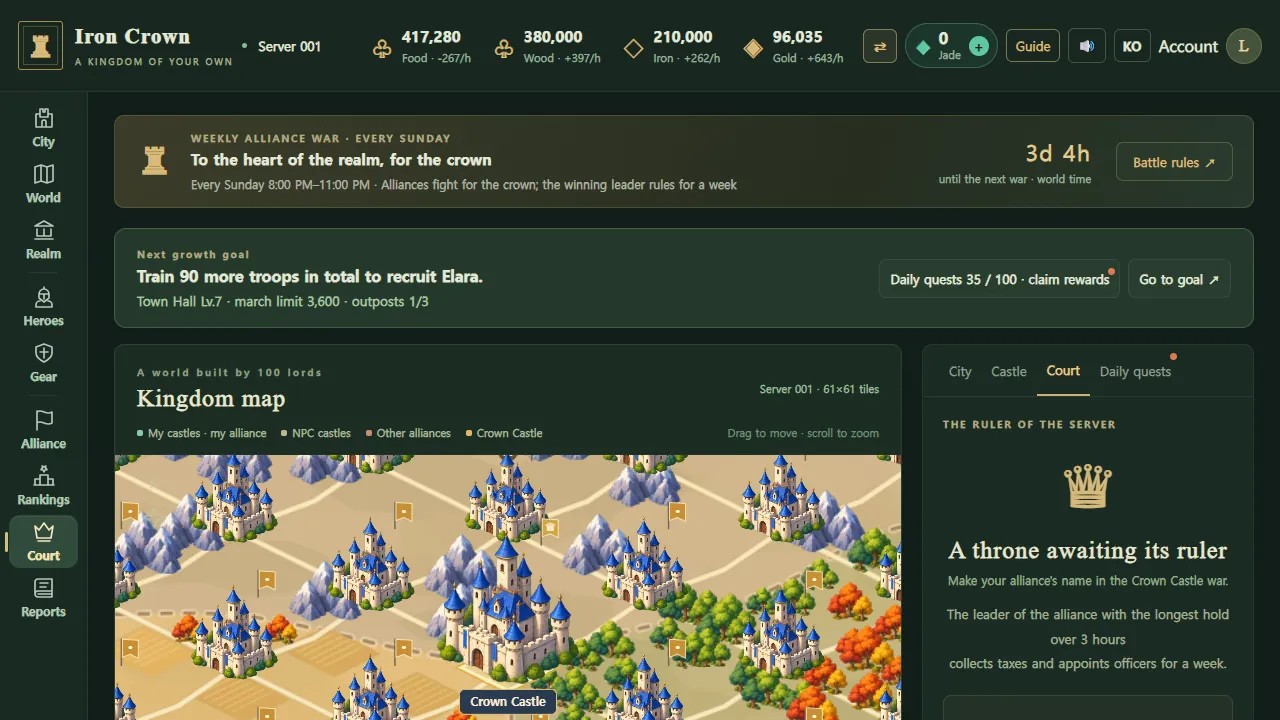
| Court | The current ruler of the server, the treasury, court titles |
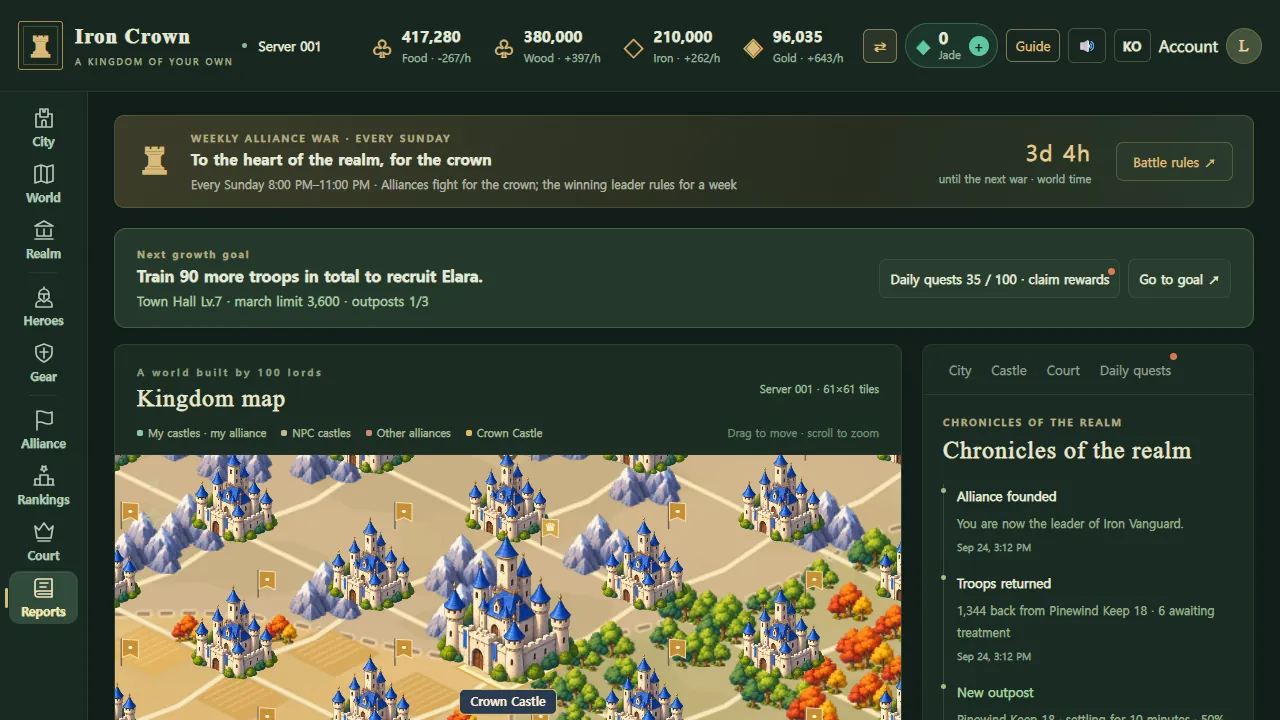
| Reports | Battle, scout, exchange and rally reports |
3. Growing your city
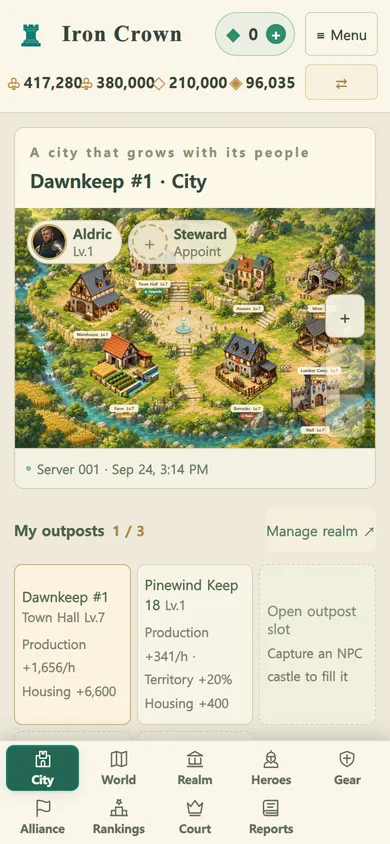
A castle has 8 kinds of buildings, each growing to Lv.10. Other buildings can only reach the Town Hall’s level, so the Town Hall comes first. As long as you have the resources, you can upgrade several buildings at once.
| Town Hall | Your stage of growth. Sets your realm power (march limit = realm power + commanding hero’s level), how many outposts you can hold (4 at Lv.10), and the highest level of other buildings |
|---|---|
| Houses | Population capacity. More citizens means more workers and more soldiers |
| Farm · Lumber camp · Mine | Produce food, wood and iron. They only produce with citizens assigned (each workplace has a worker limit) |
| Warehouse | Storage cap. Production above the cap isn’t stored, and stock above the cap isn’t protected from raids |
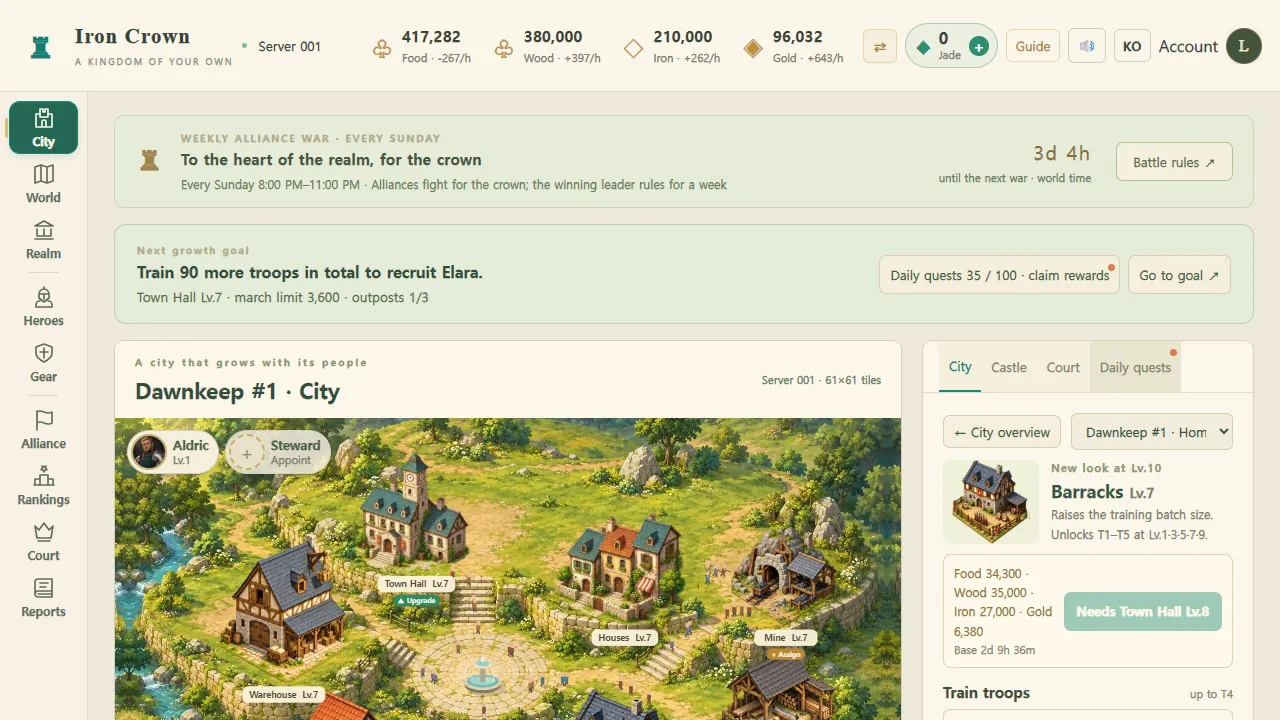
| Barracks | Trains soldiers. Tiers T1–T5 unlock at Lv.1, 3, 5, 7 and 9 |
| Wall | Defense bonus for your home castle |
Citizens and taxes
- Idle citizens can be assigned to a workplace or trained as soldiers. Every recruit is one less worker.
- Tax policy (low, balanced, high) trades gold against morale. Morale affects production and how fast new citizens arrive; if food runs out, morale drops and newcomers stop coming.
- Gold pays for training, healing, scouting, heroes and moving your home castle, so it’s the most precious. Turn spare wood and food into it with “Exchange” at the top.
4. Troops and heroes
Three troop types and counters
Shield → spear → archer → shield: each beats the next and deals +30% damage to it. Shields hold the front line, some spears slip around it, and archers shoot from behind. A mix of all three is the safe choice.
Tiers T1–T5
Unlocked by barracks level; each tier up is ×1.2 attack, defense and health. Train new soldiers, or promote soldiers from the tier just below. Each castle runs one training or promotion at a time.
Wounds and recovery
Of the soldiers who fall, 70% are lightly wounded and return with their unit, and 30% are badly wounded and go to the infirmary. Healing costs food and gold, and a few recover for free over time. Soldiers only die when you attack another lord’s castle (half of the attacker’s badly wounded). Attacks on NPC castles, forts and the Crown Castle, and every defense, cost no lives.
Heroes
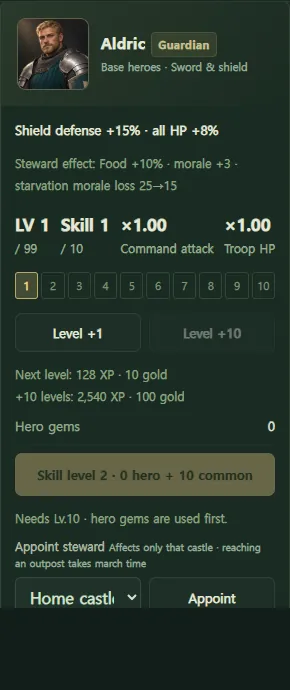
- A hero either leads a marching army or stays home to help govern. Governing effects pause while the hero is out marching.
- You start with the hero Aldric (Guardian). Elara (Striker) can be recruited for 300 gold once you reach Town Hall Lv.2, capture your first NPC castle and train 90 soldiers in total; generation heroes are recruited free for every 10 hero activity points. There are three roles: Guardian, Striker and Support.
- Heroes grow to LV 99 with experience and gold, and skills to rank 10 with personal and shared gems.
- Two new generation heroes arrive every two months. An enhanced weapon can be passed down to the next generation, and gloves and armor come from the treasure chest that opens every 3 hours.
5. World map and marches
Zones A–D
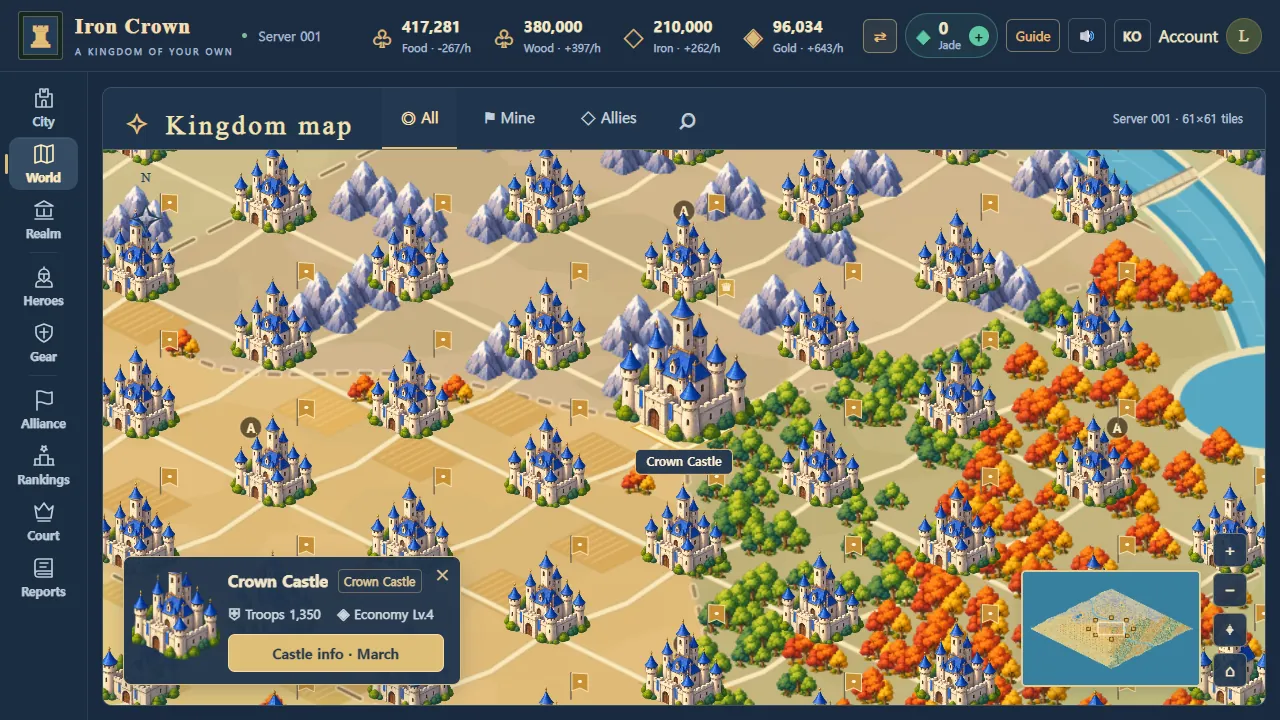
The map is split into four zones around the Crown Castle, from A (center) to D (edge). The closer to the center, the bigger the castles and the better the production — and the stronger the NPC defenders. Everyone starts in zone D.
Zone D is a settler protection zone. Other lords can’t attack or scout castles in D, and a lord whose home castle is in D can’t attack other lords’ castles or the Crown Castle. NPC castles and alliance drills are open to all. Capture an outpost further in and move your home castle there to graduate from protection.
Capturing NPC castles and outposts
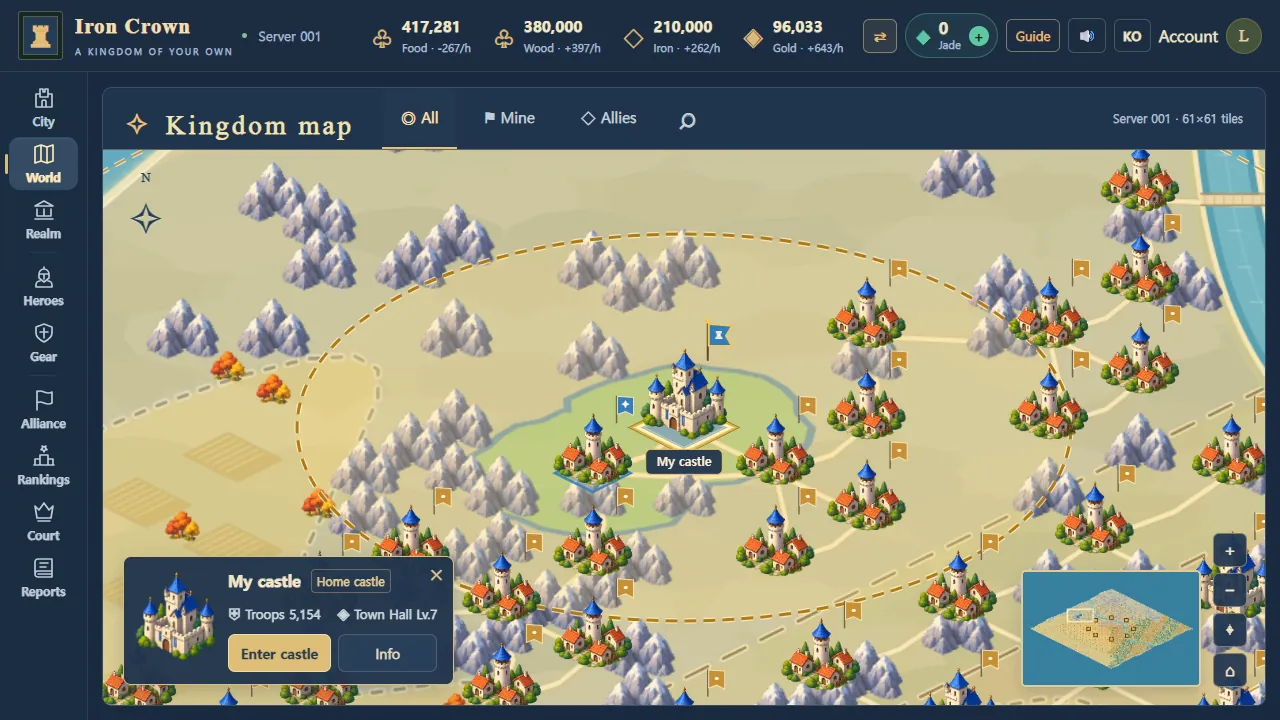
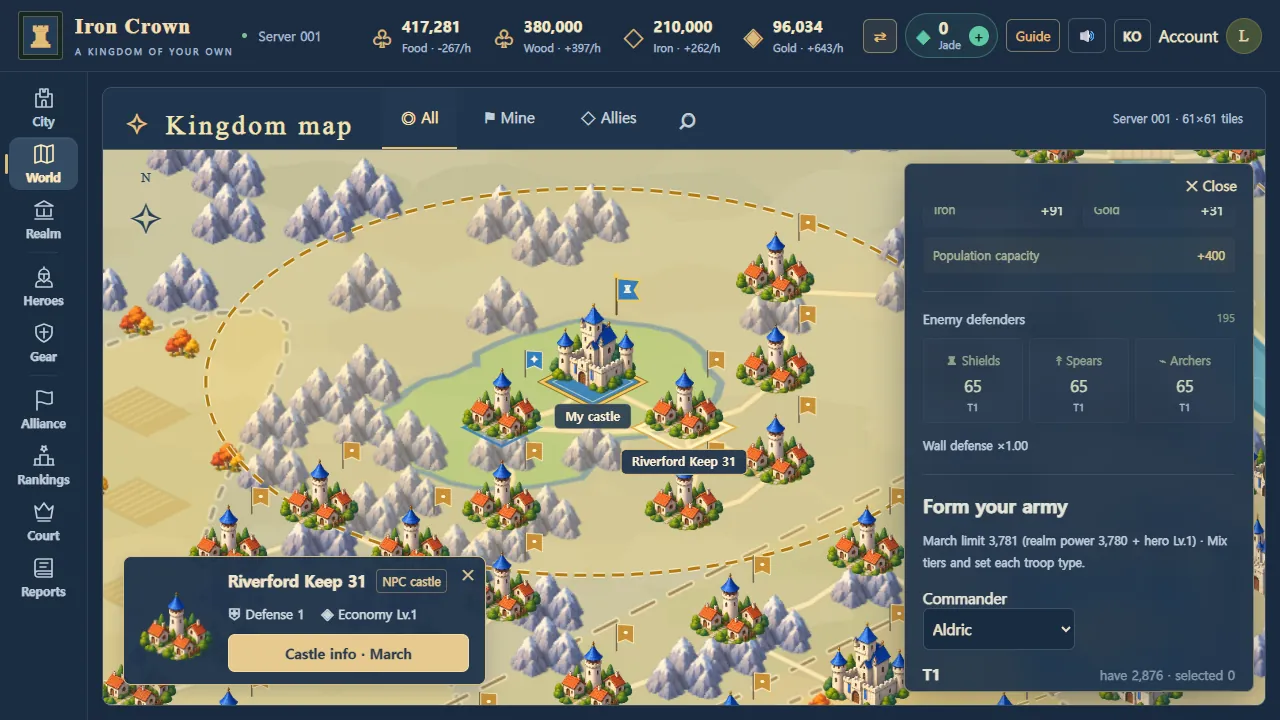
- Tap a castle on the map and open “Castle info · March”. You’ll see its defenders and rewards (production and population capacity).
- Pick a commanding hero and how many of each troop type, then “Attack and capture”. Marching time grows with distance, and the server resolves the battle against the defenders present when you arrive.
- A castle you win becomes an outpost that adds resources and citizens. You can hold up to 3 outposts (4 at Town Hall Lv.10), and at most 1 in zone D.
- Turn on “After a victory, keep this army there as a garrison” and your army stays to guard the outpost. Leave it empty and another alliance can take it right away.
Scouting · raids · shields
- Scout (costs gold) to see an enemy’s defenses in advance. Results are shared with your alliance automatically.
- Other lords’ home castles can be raided from Town Hall Lv.4 (they can’t be captured). Outposts can be captured and taken.
- A shield protects your home castle for 8 hours. You get 5 free every week (reset Monday 00:00 KST, no carry-over). Attacking another lord drops it, and you can’t raise one again for 30 minutes.
6. Alliances and 5-minute rallies
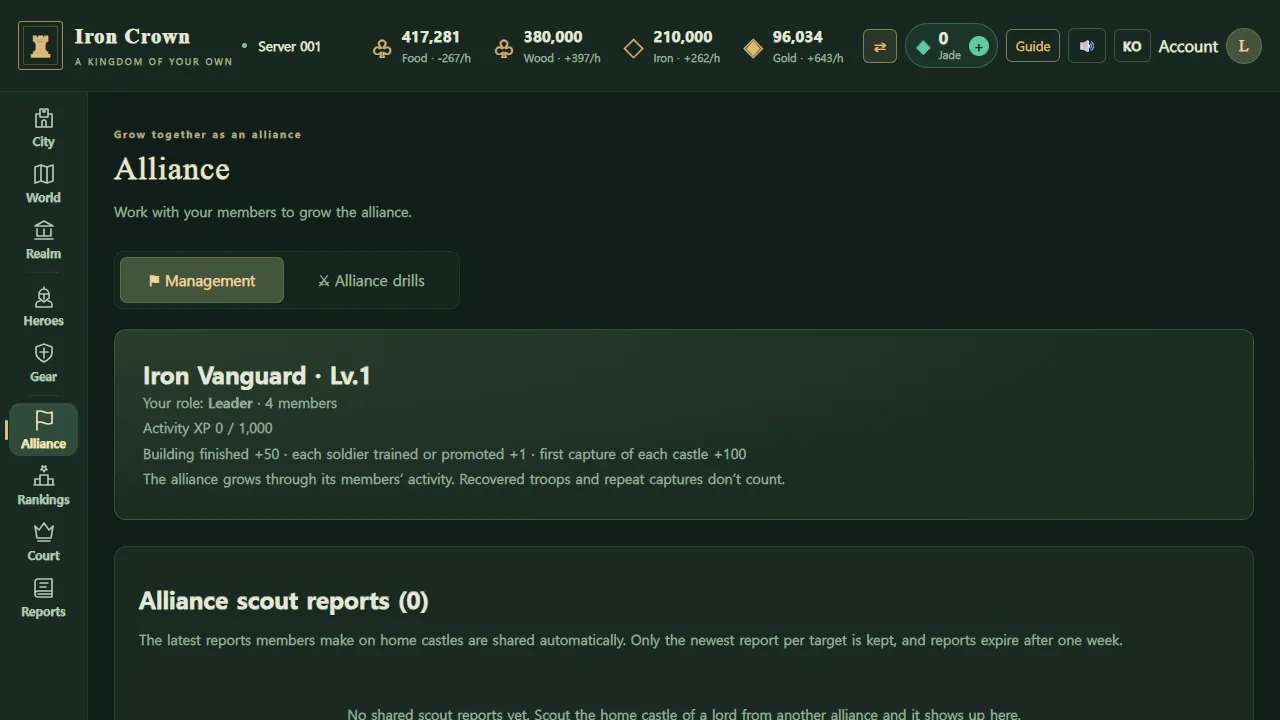
- Join an alliance — create one or apply to join under “Alliance”. Alliances grow from their members’ building, training and captures.
- 5-minute rally — open a rally on a target castle and for 5 minutes your alliance mates add reinforcements. They gather at the rally point (the opener’s home castle) and march out together. Capacity is the opener’s realm power × 6, up to 8 lords. Walls you can’t take alone, you take this way.
- Supply convoys — send resources to the home castle of a lord in your alliance. Up to 3 convoys at once, each carrying warehouse level × 2,000.
- Shared scouting — home-castle scout reports from your alliance mates are collected automatically.
- Alliance drills — siege drill and defense drill alternate daily, open for 30 minutes. Mock battles with no losses that earn hero experience and whetstones.
- Alliance chat · world chat — the “Chat” button at the bottom right.
7. Fort sieges and the Crown Castle war
Fort sieges — every day
Eight forts ring the Crown Castle in zone B. Each opens for 1 hour at its set time (KST 0, 3, 6, 9, 12, 15, 18, 21:00), and the lord with the longest total hold time wins. The winner gets that fort’s buff (+20% to attack, defense, production, training, construction, marching and more) and its spoils for 24 hours. No one dies.
Crown Castle war — every Sunday 20:00–23:00 KST
- The server’s alliances fight for 3 hours over the Crown Castle at the center of the map.
- The winner isn’t whoever holds it at the end, but the alliance with the longest total hold time over the 3 hours.
- The winning alliance’s leader rules the server for a week, collecting 10% of all server production into the treasury and granting court titles to members.
- No one dies in the Crown Castle war either. You can’t join while your home castle is in zone D.
8. Every day
- Check your reports — see the night’s battle, scout and exchange results under “Reports”.
- Queue construction and training — upgrade with the Town Hall leading, and start training or promotions at the barracks.
- Reassign citizens — put new citizens to work, and exchange or spend resources before the warehouse fills.
- March once — take an NPC castle or join an alliance rally. You can do this from zone D too.
- Train your heroes — levels and skills, weapon enhancement, the treasure chest every 3 hours.
Those five are exactly the daily quests (100 points in total). Every 30, 60 and 100 points you get a chest scaled to your Town Hall level, and days with 60+ points add up toward a weekly attendance chest. The day resets at midnight KST.
9. FAQ
If my home castle is attacked, do I lose it?
No. Home castles can’t be captured; only unprotected resources in the warehouse can be raided. If your defense fails, you get 2 hours of battle protection. Outposts can be taken, so keep a garrison in them.
Can I change servers?
No. You stay on the server you first entered, and one member can have up to 2 game accounts per server.
Do I need to pay?
No. Jade top-ups (payments) aren’t open on the test server yet. Finishing instantly with jade costs at least 1 jade however little time is left; there’s no free window.
How do I play the same realm on PC and phone?
Link an account. Under “Account” you can see the devices you’re signed in on and sign them out.
World map controls
Drag to move, wheel or +− to zoom, Home to return to your home castle, the magnifier to search castle names (results show coordinates), click the minimap to jump. Esc closes panels.
Screenshots

Good to know
This is a test server under development. Rules and numbers may change, and play is free. This manual is current as of September 24, 2026. Terms of Service · Privacy Notice